Best IKEA Matter Devices and Integration Guides
7 hours ago • 7 min read
IKEA Matter devices are affordable smart home products that use the Matter standard and Thread networking to work seamlessly with platforms like Apple Home, Google Home, and Alexa. When paired with the IKEA DIRIGERA hub, these devices can integrate with other brands while maintaining local control, reliability, and easy setup. From sensors to remotes and air quality monitors, IKEA’s Matter ecosystem provides a simple way to build a connected home without locking yourself into a single platform.
Key Takeaways
- IKEA Matter devices use the Matter smart home standard for cross-brand compatibility.
- The DIRIGERA hub acts as the main controller for IKEA smart homes.
- Many new IKEA devices support Matter over Thread, improving reliability and speed.
- The ecosystem integrates with Google Home, Apple Home, Alexa, and Home Assistant.
- Affordable sensors and remotes make IKEA one of the easiest entry points into Matter smart homes.
What Is IKEA Matter?
IKEA Matter refers to IKEA’s new generation of smart home devices that support the Matter communication standard. Matter allows products from different brands to communicate locally without relying on cloud servers.
In practical terms, this means an IKEA sensor or light can work with:
- Apple Home
- Google Home
- Amazon Alexa
- Home Assistant
Most newer IKEA accessories use Matter over Thread, which combines the Matter protocol with a low-power mesh networking system.
Matter vs Thread (Simple Explanation)
Many people confuse these two technologies. I explain it like this:
- Matter = the language devices use to communicate
- Thread = the wireless network that carries those messages
When both are used together, devices respond faster and remain functional even if the internet goes down.
What Is the IKEA DIRIGERA Hub?
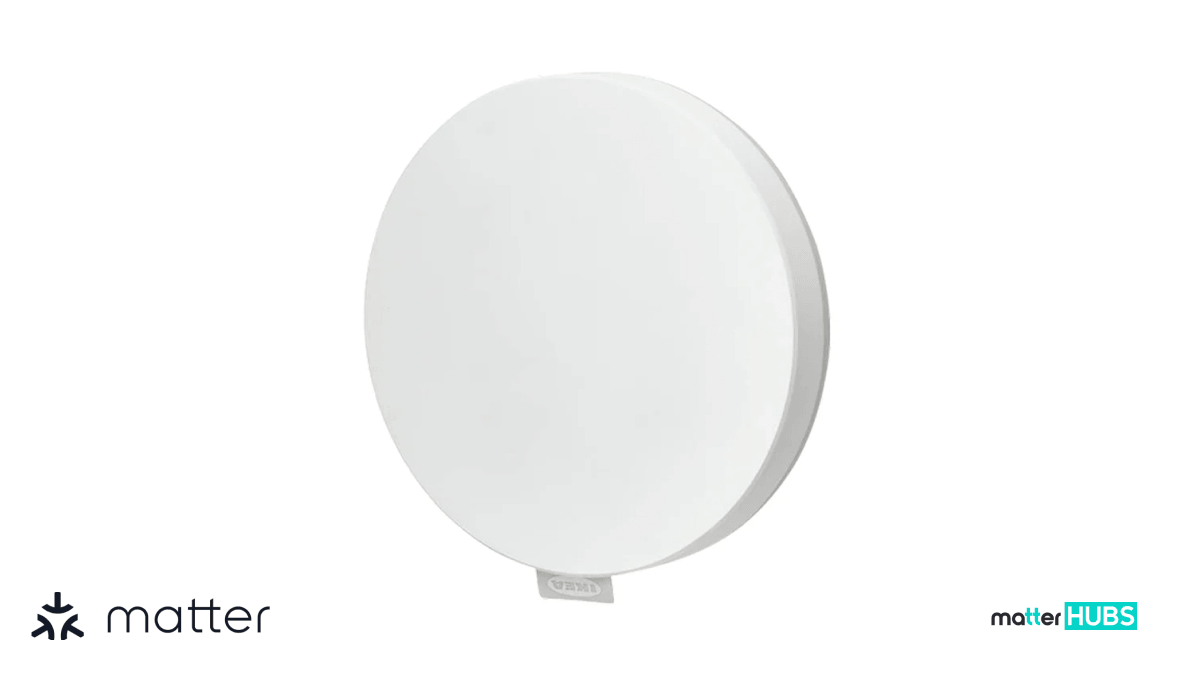
The DIRIGERA hub is the central controller for the IKEA smart home ecosystem. It replaced the older Tradfri gateway and adds stronger processing power, better connectivity, and Matter support.
If you plan to build an IKEA Matter smart home, the hub becomes the brain of the system.
Why the DIRIGERA Hub Matters
When I first tested the ecosystem, I quickly realized that the DIRIGERA hub IKEA system simplifies everything. Instead of managing devices individually across apps, the hub acts as the single integration point.
Core Capabilities
- Multi-Protocol Support
Handles Zigbee, Thread, and Matter devices. - Local Automation Processing
Many commands run locally instead of through the cloud. - Simplified Setup
Designed for non-technical users with guided onboarding. - Matter Device Control
Firmware version 2.805.6 allows the hub to manage third-party Matter devices.
This update effectively turned the IKEA DIRIGERA hub into a full Matter controller, placing it alongside products like Google Nest hubs or Apple Home hubs.
Best IKEA Matter Devices to Buy Now
IKEA launched a range of IKEA Matter devices focused on sensors, environmental monitoring, and simple controls. These devices emphasize affordability while maintaining reliable connectivity.
Below are the most practical devices currently available.
1. Klippbok Water Leak Sensor
The Klippbok water leak sensor is designed to detect moisture around sinks, washing machines, and dishwashers.
A compact disc-shaped sensor that uses metal contact points to detect water.
Key Features
- Built-in 85 dB alarm
- Smartphone alerts through the hub
- Simple two-contact water detection system
Pros
- Very affordable
- Can trigger local alarms without a hub
- Extremely simple and reliable design
Cons
- Remote alerts require the DIRIGERA hub
Pro Tip
Place this sensor under water heaters or behind washing machines, not just under sinks. Most home leaks begin in those areas.
2. Bilresa Remote Control
The Bilresa remote provides physical control for lights or automations without needing a smartphone. A two-button remote powered by AAA batteries.
Key Features
- Direct bulb control
- Scene triggers
- Adhesive mounting for walls
Pros
- Very affordable
- Simple and reliable control method
- Works well with Home Assistant automation triggers
Cons
- No scroll wheel like older IKEA remotes
- Pairing can occasionally require multiple attempts
Advanced Automation Example
When connected to Home Assistant IKEA DIRIGERA integration, the remote can trigger:
- Single press actions
- Hold actions
- Release actions
This allows complex automation workflows.
3. Alpstuga Air Quality Monitor
The Alpstuga air quality monitor tracks indoor environmental conditions. A wired air monitor with a bright LED display showing real-time readings.
Metrics Measured
- PM2.5 particles
- CO2 levels
- Temperature
- Humidity
Pros
- Comprehensive air quality monitoring
- Clear visual indicators
- Doubles as a clock
Cons
- Does not measure VOC gases
- Cannot display every metric simultaneously
Practical Use Case
I often recommend placing air monitors in bedrooms or offices, where indoor air quality impacts sleep and productivity.
4. Timmerflotte Temperature and Humidity Sensor
The Timmerflotte climate sensor offers minimalist design with useful environmental tracking. A puck-shaped device with a hidden LED display that appears when tapped.
Key Features
- Temperature monitoring
- Humidity monitoring
- Matter-over-Thread connectivity
Pros
- Clean and minimal design
- Battery powered using AAA batteries
- Affordable
Cons
- Display is not always visible
- Initial pairing may require retrying
Pro Tip
Use this sensor for HVAC automations, such as turning on fans or humidifiers when conditions change.
5. Myggbett Door and Window Sensor
The Myggbett sensor tracks whether doors or windows are open or closed. A magnetic contact sensor consisting of two pieces.
Key Features
- Instant open or closed detection
- Smartphone notifications
- Compact design
Pros
- Very affordable
- Works well in automation workflows
- Easy installation
Cons
- No advanced tamper alerts
Example Automation
When a window opens:
- Turn off air conditioning
- Pause heating
- Send phone notifications
6. Myggspray Motion Sensor
The Myggspray PIR motion sensor detects movement and triggers automations. A battery-powered motion sensor suitable for indoor or outdoor placement.
Key Features
- PIR motion detection
- Weather-resistant design
- Flexible mounting
Pros
- Great for hallway or pathway lighting
- Very affordable
- Simple setup
Cons
- PIR sensors cannot detect stationary people
- Reset time may delay repeated triggers
Pro Tip
Mount motion sensors 7-8 feet high to maximize detection coverage.
10 Best Matter Supported Smart Hubs
The main goal of Matter is unifying the smart home system. Matter based hubs will support all smart devices to work under a single platform.
 Dimuthma Umashani
How to Integrate IKEA Matter Devices with Google Home
Connecting IKEA Matter devices to Google Home requires linking through the DIRIGERA hub.
Step-by-Step Setup
- Add the device to the IKEA Home Smart app.
- Open device settings and select Add to other systems.
- Generate the Matter pairing code.
- Open the Google Home app.
- Select Set up device → Matter device.
- Enter the generated code.
Once paired, the device appears alongside your other smart home products.
Can You Use IKEA Matter Devices Without the DIRIGERA Hub?
Technically yes.
Some Matter over Thread devices can connect directly to third-party controllers such as:
- Google Nest Hub
- Apple HomePod
- Google TV
However, in my testing and from user reports, skipping the hub can cause limitations.
Missing Features Without the Hub
- Firmware updates
- Advanced automation controls
- Device diagnostics
For most users, the IKEA DIRIGERA hub remains the recommended option.
Using Home Assistant with IKEA DIRIGERA
Advanced smart home users often connect Home Assistant IKEA DIRIGERA integrations.
Home Assistant communicates with the hub through:
- Local APIs
- Matter integration
Benefits of Using Home Assistant
| Feature | IKEA App | Home Assistant |
|---|---|---|
| Setup | Easy | Moderate |
| Automation | Basic | Advanced |
| Device Support | Limited | Extensive |
| Customization | Low | Very High |
For example, the Bilresa remote becomes significantly more powerful when integrated with Home Assistant Matter automations.
Fixing Common IKEA Matter Connectivity Issues
Even though Matter promises simple setup, early adopters have reported some connection challenges.
Here are the troubleshooting steps I recommend.
1. Update Device Firmware
Many devices ship with older firmware. Always update through the DIRIGERA hub first.
2. Use 2.4 GHz Wi-Fi
During pairing, ensure the hub and smartphone are on 2.4 GHz networks.
3. Stay Close During Setup
Keep devices within 10 feet of the Thread border router during pairing.
4. Perform a Factory Reset
If pairing fails:
- Hold reset button for 10 seconds
- Restart the pairing process
Future IKEA Matter Devices
Although the current lineup is strong, several popular IKEA smart home products still use Zigbee.
Devices Still Awaiting Matter Updates
- TRETUR smart blinds
- TRIPPEVALS smart blinds
- STARKVIND air purifier
- Silverglans cabinet lighting
- PILSKOTT integrated lamps
Many expect IKEA to expand the ecosystem further, especially after the IKEA-Sonos partnership ends in 2026.
Conclusion: Should You Build an IKEA Matter Smart Home?
The IKEA Matter ecosystem offers one of the most affordable entry points into modern smart home automation.
The DIRIGERA hub, combined with Matter-over-Thread devices, delivers:
- Local automation
- Cross-brand compatibility
- Simple setup
While the ecosystem is still evolving, IKEA has built a strong foundation that works well for beginners and enthusiasts alike.
If you want a reliable and budget-friendly smart home system, IKEA Matter devices are an excellent starting point.
FAQs about IKEA Matter
What is IKEA Matter?
▶
IKEA Matter refers to IKEA smart home devices that support the Matter standard, allowing them to connect with ecosystems like Apple Home, Google Home, and Alexa using local communication.
Do I need the DIRIGERA hub for IKEA Matter devices?
▶
Matter devices can connect to compatible hubs such as Google Nest or Apple Home hubs, but the IKEA DIRIGERA hub is recommended for firmware updates and full functionality.
Can IKEA Zigbee devices work with Matter?
▶
Yes. The DIRIGERA hub can act as a Matter bridge, allowing older Zigbee devices to appear in Matter ecosystems.
What is IKEA Matter over Thread?
▶
Matter over Thread refers to devices that use the Thread mesh network to transmit Matter commands, improving speed, reliability, and local communication.
How do I fix an IKEA device that will not connect?
▶
Factory reset the device, ensure the hub uses 2.4 GHz Wi-Fi, and move the device closer to your Thread border router during pairing.
Are IKEA smart blinds compatible with Matter?
▶
Currently, IKEA smart blinds still use Zigbee. They can be bridged to Matter through the DIRIGERA hub, but native Matter versions have not yet been released.