How to Connect Matter Devices to Alexa
5 months ago • 7 min read
The arrival of Alexa matter support has changed how modern home automation works. Instead of checking compatibility for every device, users can now rely on the matter protocol to simplify setup across platforms. If you're trying to connect Matter-enabled devices to Alexa, this guide is for you. Here you can find explanation to everything
What Is Alexa Matter?
Alexa matter refers to Amazon’s integration of Matter into the Alexa ecosystem. It allows compatible devices to connect directly to the Alexa platform without relying solely on cloud-based skills.
With matter Alexa integration, devices can:
- Communicate locally.
- Respond faster.
- Work across ecosystems.
- Sync with other platforms like Apple or Google.
How to Connect Matter Devices to Alexa?
Now let’s walk through the setup process for Alexa matter.
- Open the Alexa App
- Launch the Alexa app on your phone.
- Tap the "+" (plus) button at the top right.
- Select:
- Scan the Matter QR Code
- Your device includes a unique Matter QR code.
- Use your phone’s camera inside the Alexa app to scan it.
- Complete Network Setup
- Alexa will:
- Once added, your Matter smart device becomes part of your home automation system.
- Add Device → Other → Matter
- This tells Alexa that you are setting up a Matter Alexa compatible device.
* This initiates the secure commissioning process defined by the matter protocol.
* If you purchased the device directly from Amazon, you may see a pre-linking option that connects the device to my Alexa account automatically.
- Connect the device to your network.
* Add it to your device list.
* Assign it to a room.
Not just about connecting Matter devices to Alexa. Here you can find out How to Add a Matter Smart Home Device to Amazon Alexa
What You Need Before Connecting Matter Devices to Alexa?
Before starting the setup process, make sure you have the following:
1. Alexa App
You must use the Alexa app on iOS or Android. Amazon officially expanded Alexa matter support to iOS users in May, making setup available to both Android and iPhone users.
Make sure:
- The app is updated.
- You’re logged into my Alexa account.
- Your Echo device is online.
2. A Matter-Compatible Device
Check the Matter logo on the device packaging. Many Matter smart devices now include this certification.
Examples include:
- Nanoleaf bulbs
- Govee light strips
- Smart plugs
- Smart switches
These are part of the expanding matter smart home devices ecosystem.
3. A Thread Border Router (If required)
Some devices use Thread networking. For these, you’ll need a compatible Echo device to act as a Thread Border Router.
The most common example is Echo 4th Generation (spherical model)
This acts as both a smart speaker and a networking bridge for Thread-based matter iot devices.
If your device runs Matter over Wi-Fi, a Thread router may not be required.
Devices That Make Alexa Matter Setup Easier
Tapo Smart Plug Mini
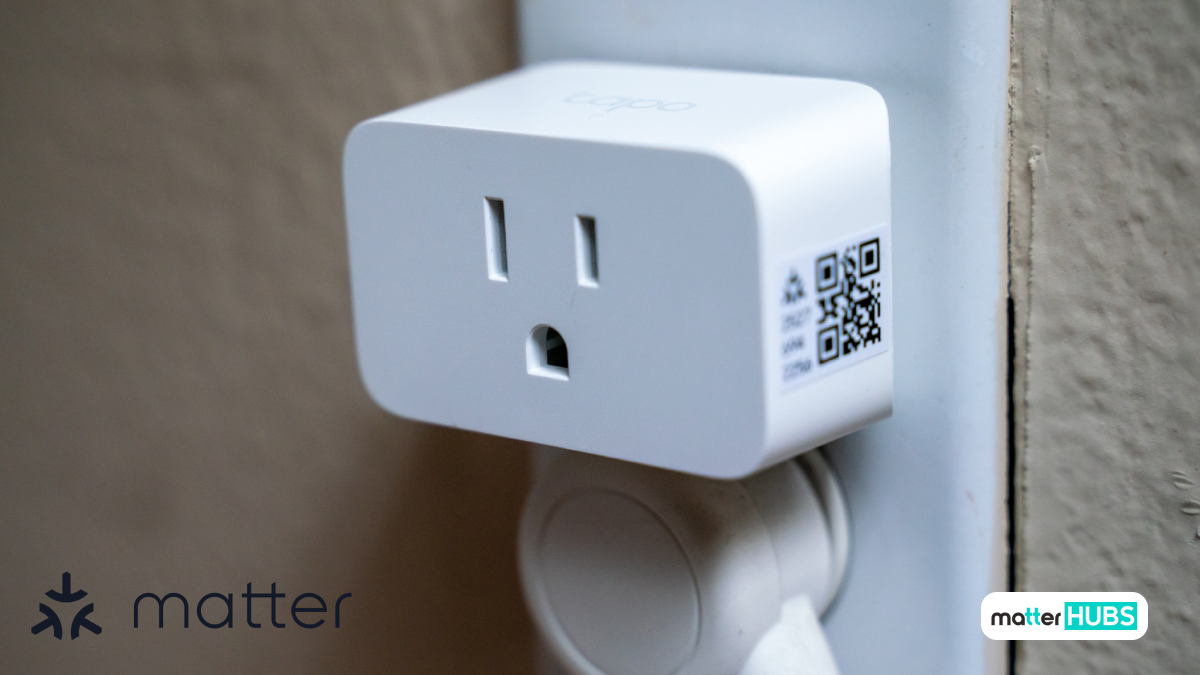
If you're just starting with Alexa Matter, a simple device like the Tapo Smart Plug Mini is one of the easiest ways to test your setup. It connects over Wi-Fi and works smoothly with Alexa, making it ideal for basic automation like turning devices on and off using voice commands.
Key Features
- Matter support for cross-platform compatibility
- Works with Alexa and Google Home
- Wi-Fi connectivity without a dedicated hub
Pros
- Easy to set up with Alexa Matter
- Ideal for beginners in smart home automation
- Works across multiple ecosystems
Cons
- No Thread support
- Limited advanced automation features
Eve Energy Smart Plug & Power Meter
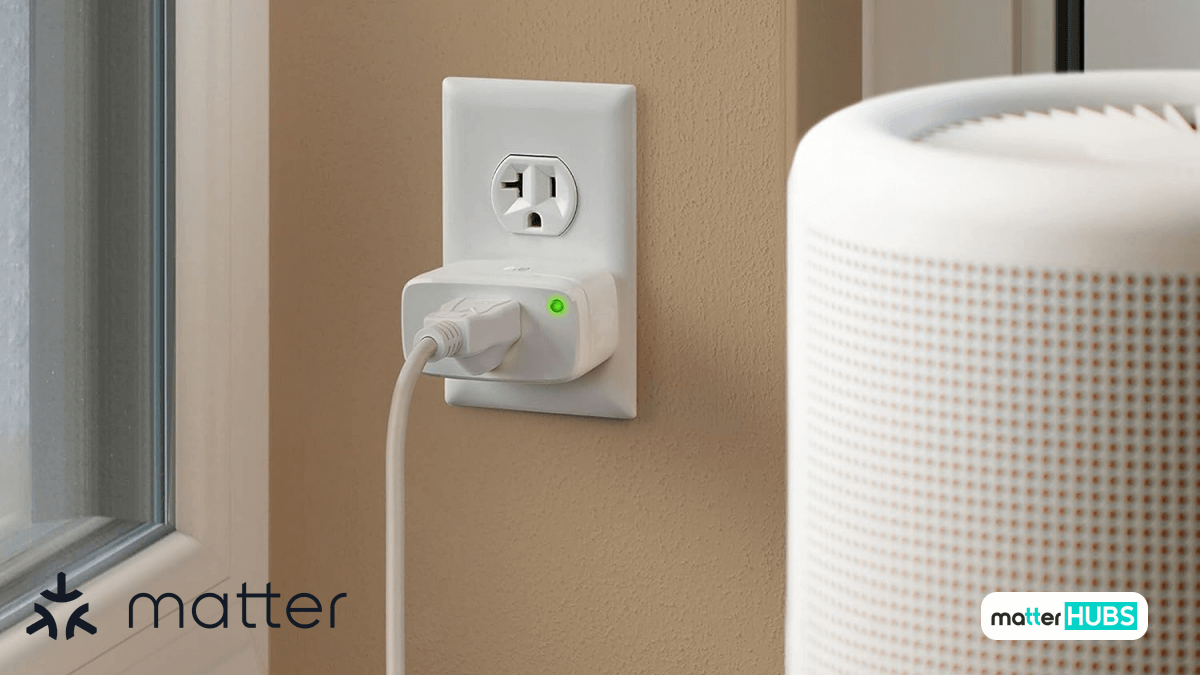
For users working with Thread-based Matter devices, the Eve Energy Smart Plug provides a more advanced option. When paired with a compatible Echo device, it delivers faster response times and adds energy monitoring to your Matter smart home setup.
Key Features
- Matter support with Thread connectivity
- Built-in energy monitoring
- Works with Alexa, Apple Home, and Google Home
Pros
- Faster performance using Thread in Alexa Matter setups
- Tracks real-time energy usage
- Strong cross-platform compatibility
Cons
- Requires a Thread-compatible Echo device
Zemismart Matter Smart Hub
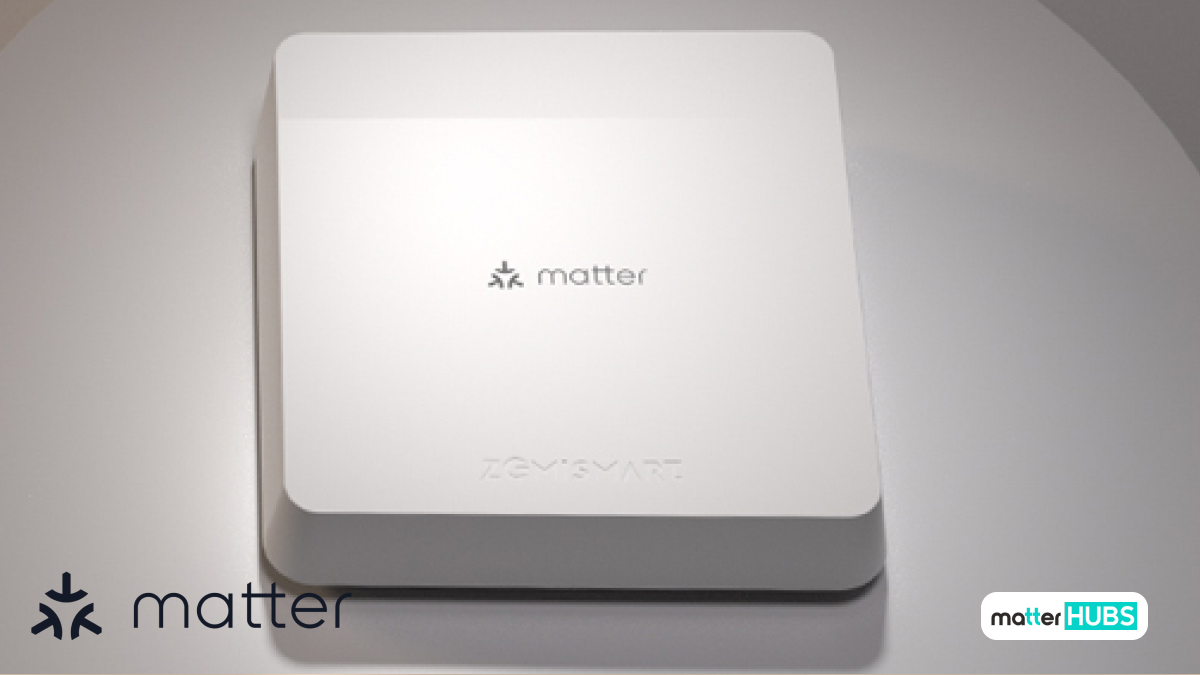
If you plan to expand your setup, the Zemismart Matter Smart Hub helps connect additional devices like sensors and switches into your Alexa Matter ecosystem, making your smart home more flexible and scalable.
Key Features
- Matter and Thread support
- Zigbee device integration
- Works with Alexa and other platforms
Pros
• Expands device compatibility in Alexa Matter setups
• Helps integrate multiple device types into one system
• Supports scalable smart home automation
Cons
• Requires compatible devices for full functionality
• Setup depends on ecosystem configuration
Why Use Alexa Matter?
There are major advantages to using Alexa matter instead of traditional Alexa skill-based integrations.
- Local Control
- Reduced Latency
- Cross-Platform Compatibility
With matter Alexa integration, commands can be processed locally inside your home network.
This means:
- If the internet goes down, devices still respond.
- Automation continues to work.
- Reduced dependency on cloud servers.
- This shift toward local processing is a key evolution in smart home automation.
- Traditional cloud-based commands sometimes had a 2–3 second delay.
- With Alexa matter support, many commands execute nearly instantly.
- Turning on lights feels immediate because communication happens locally using Matter.
One major strength of Matter IoT is interoperability.
A device added to Alexa can also sync with:
- Apple Home
- Google Assistant
- SmartThings
- This prevents ecosystem lock-in and future-proofs your home automation setup.
Matter has put efforts to add more features with their new updates. You can read about the newest update Matter 1.5: What’s New and Why it Matters for Smart Homers
How Do I Know If My Alexa Device Supports Matter?
Not all Echo devices support Alexa Matter. Only certain models have received firmware updates for Alexa Matter support.
To check:
- Open the Alexa app.
- Go to Devices and then echo & Alexa.
- Select your Echo device.
- Check for software updates.
Generally, newer Echo speakers support the Matter, especially models that act as a Thread Border Router.
Supported Echo Devices for Matter
| Echo Model | Matter Support | Thread Support |
|---|---|---|
| Echo (4th Gen) | Yes | Yes |
| Echo Dot (5th Gen) | Yes | No |
| Echo Dot (5th Gen) | Yes | No |
How does Alexa Matter and Amazon AI Work?
Amazon’s integration of Amazon AI plays a role in how Alexa processes voice commands and manages smart devices.
While Matter handles communication standards, Amazon AI improves:
- Voice recognition accuracy.
- Routine suggestions.
- Device grouping.
- Automation optimization.
The combination of Amazon AI and matter Alexa architecture strengthens overall smart home automation performance.
How to Troubleshoot Alexa Matter Setup?
Even though Alexa matter support is expanding, Matter is still relatively new.
Here are common issues and fixes:
Device Not Found
- Ensure the device is in pairing mode
- Factory reset the device
- Restart your Echo
Device Fails to Register on Thread
If using Thread-based matter smart home devices:
- Confirm that Echo 4th Gen is updated.
- Wait for firmware to complete.
- Restart the home hub.
Sync Issues
Sometimes it takes multiple attempts for Alexa Matter devices to sync correctly.
Try:
- Resetting the device.
- Remove it from the Alexa app.
- Restarting the router.
What are the Current Limitations of Alexa Matter?
While matter Alexa integration is improving, there are still limitations:
- No dedicated Matter monitoring section in the Alexa app
- Limited visibility into whether a device is using Thread or Wi-Fi
- Some early-adopter bugs
The Matter smart ecosystem is still maturing, and these growing pains are expected in early Matter IoT deployments.
Does Alexa Require Thread for Matter?
No. Alexa Matter works over:
- Wi-Fi
- Ethernet
- Thread
Thread is only required for low-power devices that specifically use it. Many Matter smart home devices connect directly via Wi-Fi.
What is Alexa App and Why is it Important to Matter?
- The Alexa app is the main tool you use to set up and manage Alexa matter devices. It works as the control center for your smart home automation system.
- When you connect a Matter device, the entire process happens inside the Alexa app. You use it to:
- Scan the Matter QR code
- Add the device to your network
- Assign it to a room
- Control it with voice or touch
- The app connects your device to my Alexa account and syncs it with your Echo speakers or home hub.
- With Alexa Matter support, the app allows compatible devices to communicate using the Matter protocol, which enables faster and more reliable local control.
- In short, without the Alexa app, you cannot complete the setup of Matter devices inside the Alexa ecosystem. It is the foundation of how Matter Alexa integration works in real-world home automation setups.
Final Thoughts
Yes. Alexa matter simplifies home automation, reduces cloud dependency, and increases cross-platform compatibility. With expanding Alexa matter support, Amazon is positioning Alexa at the center of the next generation of smart home automation powered by the matter protocol. If you're building a future-ready system, understanding how Matter Alexa works today helps you avoid compatibility issues tomorrow.
FAQs
Yes, Alexa supports devices across major smart home protocols including Wi-Fi, BLE Mesh, Zigbee, Matter, and Thread across millions of new and existing Echo devices.
Yes, but without Wi-Fi or a mobile hotspot, Alexa can only act as a Bluetooth speaker.
Yes, Matter supports Alexa. You can connect compatible Matter smart home devices directly to Alexa without relying only on traditional cloud-based skills.
Yes, some Echo devices support Matter, but not all models.