Samsung's SmartThings Unveils the Multi-Hub Network
23 days ago • 6 min read
Samsung SmartThings as a smart home platform decided to go beyond traditional hub based smart homes. Instead of relying on a single dedicated hub, Samsung is building a Multi-Hub Network where multiple devices inside your homework together as smart home controllers. In this article, I will explain everything you need to know about it.
What Is Samsung’s Multi-Hub Network?
Samsung’s Multi-Hub Network allows multiple SmartThings-enabled devices (TVs, soundbars, SmartThings Station, and traditional hubs) to work together as a unified smart home control system. Instead of one central hub, your home can have several hubs that share responsibilities across Matter, Thread, Zigbee, and Wi-Fi networks.
What Is Samsung’s “Hub Everywhere” Strategy?
At SDC23, Samsung revealed its vision to turn everyday electronics into smart home hubs.
Imagine:
- Your Samsung TV acting as a Thread Border Router.
- Your soundbar controlling Zigbee devices.
- Your charging pad managing Matter devices.
This is the foundation of Hub Everywhere.
Instead of placing one box in your home to control everything, Samsung embeds hub radios directly into:
- Smart TVs
- Soundbars
- Computer monitors
- SmartThings Station
This reduces reliance on a single control point and improves redundancy.
Also, you can check out Smart Home Standard 1.2 to learn more about new device types and 9 enhancements.
How Does SmartThings Multi-Hub Network Work?
1. Integrated Hub Radios
Samsung activated Thread and Zigbee radios in select TVs and soundbars.
This allows these devices to act as:
- Matter controllers
- Thread Border Routers
- Zigbee coordinators
That means your TV is no longer just a screen; it can control smart lamps, sensors, plugs, and switches locally.
2. Support for Multiple Protocols
SmartThings hubs support:
- Zigbee
- Thread
- Wi-Fi
- Matter
This multi-protocol support is critical for compatibility across ecosystems.
Why This Matters?
Many smart homes today are fragmented:
- Zigbee devices
- Wi-Fi plugs
- Matter accessories
- Thread sensors
The Multi-Hub Network ensures all these standards can coexist inside one unified system.
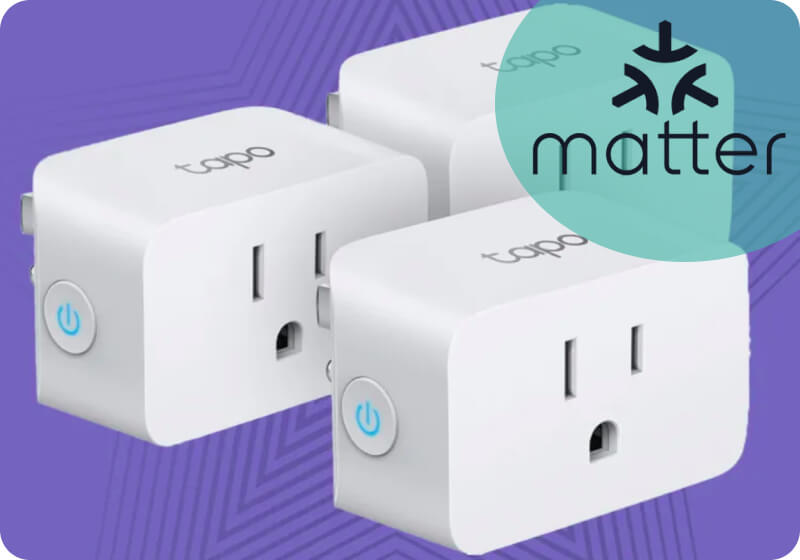
In addition, you can find new Matter-supported devices such as Tapo Smart Plug Mini and Meduio Matter Bridge.
What Role Does Matter Play in SmartThings?
At the core of Samsung’s strategy is the Matter standard, which enables secure, local connectivity between devices. SmartThings hubs support multiple wireless protocols, including Zigbee, Thread, and Wi-Fi, allowing them to manage a wide range of smart home devices.
The Multi-Hub Network Revolution
Samsung is moving beyond single-hub setups with its Multi-Hub Network approach. Instead of relying on one central hub, multiple SmartThings-enabled devices can work together inside the same ecosystem.
Whether it’s a SmartThings Station or a built-in hub inside a Samsung TV or soundbar, these hubs collaborate to provide better coverage, flexibility, and reliability across the home.
Seamless Thread Network Integration
If multiple SmartThings hubs support the Thread protocol, they can join the same Thread mesh network. This improves stability and cross-system compatibility while maintaining local control.
Samsung continues refining cross-platform Thread integration to support a more interconnected smart home experience.
Effortless Hub Replacement
Samsung’s Hub Replace feature simplifies upgrading hardware. It allows users to transfer devices, Matter Fabric credentials, drivers, automations, and settings to a new hub with minimal disruption.
Zigbee, Z-Wave, and Thread networks can transition smoothly as long as the new hub supports those technologies.
To better understand how Matter enables seamless communication across devices and platforms, it helps to explore How Matter Changes your Smart Home Life
How Thread Network Integration Works?
If multiple SmartThings hubs in your home that supports Thread, they automatically join a shared Thread network.
This improves:
- Network stability
- Device routing
- Cross-system compatibility
Thread’s self-healing mesh ensures devices can reroute signals if one node goes offline. This creates a more resilient smart home.
Choosing the right Best Matter Enabled Thread Hubs is essential for a stable network, especially when building a multi-hub smart home environment.
What Is the SmartThings Station?
The SmartThings Station is more than a wireless charging pad.
It functions as:
- A SmartThings hub
- A Matter controller
- A Thread Border Router
It blends into home décor while providing core hub functionality. This device was one of the early steps toward Hub Everywhere.
How Does Hub Replacement Work?
Samsung introduced a feature called Hub Replace. This simplifies migration when upgrading hardware.
With Hub Replace:
- Matter Fabric transfers automatically
- Device drivers move over
- Automations stay intact
- Zigbee, Z-Wave, and Thread networks migrate smoothly
If the receiving hub supports the protocol, the transition is seamless. This eliminates one of the biggest pain points in smart home systems rebuilding everything from scratch.
Real-World Example: Multi-Hub in Action
- Living Room TV - Thread Border Router
- Bedroom Soundbar - Zigbee hub
- SmartThings Station - Matter controller
Together, they form a unified control system. If your TV disconnects, the Soundbar or Station can continue routing commands.
How the SmartThings App Manages the Multi-Hub Network?
The SmartThings app acts as the control center for Samsung’s Multi-Hub Network. Even though hub functionality may be built into TVs, soundbars, or the SmartThings Station, everything is managed through the app.
Inside the SmartThings app, users can:
- Add and manage Matter, Zigbee, Thread, and Wi-Fi devices
- Monitor which hub is active
- Create automations and routines
- Transfer devices using the Hub Replace feature
The app brings all connected hubs into one unified interface, ensuring that the distributed hub system still feels simple and centralized from the user’s perspective.
Does SmartThings Still Require a Traditional Hub?
In many cases, no. If your Samsung TV or Soundbar includes hub capabilities, you may not need a separate SmartThings hub.
However:
- Older devices may still require a dedicated hub.
- Advanced automation users may prefer centralized control.
The multi-Hub model offers flexibility rather than forcing one solution.
SmartThings Hub V3
The SmartThings Hub V3 is the core controller of the Samsung ecosystem and plays a key role in building a SmartThings multi-hub network. It connects sensors, lights, switches, and other smart home devices into one unified system, allowing centralized automation and monitoring.
Key Features
- SmartThings-compatible smart home hub
- Supports Zigbee and Z-Wave devices
- Integrates with Matter through SmartThings
Reasons to Buy
- Acts as the central controller in a SmartThings ecosystem.
- Enables automation across multiple smart home devices.
- Works well in multi-hub smart home environments.
Reasons to Avoid
- Requires SmartThings app for setup and management.
- Matter support depends on platform updates.
If you're exploring more devices that can act as reliable controllers in a multi-hub environment, it’s worth checking out the 10 Best Matter Supported Smart Hubs
Compatibility: Wi-Fi vs Thread vs Zigbee in SmartThings
Protocol
- Wi-Fi
- Zigbee
- Thread
- Matter
Best For
- Cameras, TVs
- Sensors, lights
- Matter sensors
- Cross-platform devices
Requires Hub
- No
- Yes
- Yes (Thread Border Router)
- Yes (Controller)
Mesh Network
- No
- Yes
- Yes
- Depends
Security & Local Control
SmartThings prioritizes:
- Local automation execution
- Secure onboarding
- Encrypted communication
- Reduced cloud dependency
Matter devices connected through SmartThings benefit from local control when supported.
What are the Limitations & Current Challenges?
While promising, Multi-Hub Network still faces:
- Cross-system Thread interoperability challenges.
- Firmware update requirements.
- Limited clarity in app UI about protocol routing.
Samsung continues working on improving ecosystem transparency.
How is the Future of SmartThings and Matter?
Samsung’s strategy aligns with the broader industry shift toward:
- Matter interoperability
- Thread-based networking
- Local-first smart homes
- Embedded hub architecture
As more devices integrate hub radios, the concept of a single hub may disappear entirely.
Conclusion
Samsung’s SmartThings Multi-Hub Network represents a fundamental shift in smart home architecture. Instead of building a single hub, your home itself becomes the hub. By integrating Thread, Zigbee, and Matter into everyday electronics, Samsung is reducing complexity and improving resilience. The Hub Everywhere strategy signals the future of connected homes: distributed, interoperable, and locally controlled.
FAQs
Open the SmartThings app >> Tap on the Device Tab >> Tap on the Home Icon >> Select the location you want the device to be in >> Tap on "Add Device"
Go to the SmartThings app > Tap on "Sign In"> Create Account> Read and agree to the T&C> Enter your email and set a password> Enter your name, ZIP code and date of birth > Tap on Next> Done.
SmartThings supports many protocols. The hub does now have a Wi-Fi radio and it connects via ethernet.